
See a position anywhere, study it in one click.
Spot a position in a video, on Lichess, in a tweet, or another site? LearnChess reads the board from any image — no piece-by-piece setup — and drops you straight into analysis, coaching, or a brand-new puzzle.


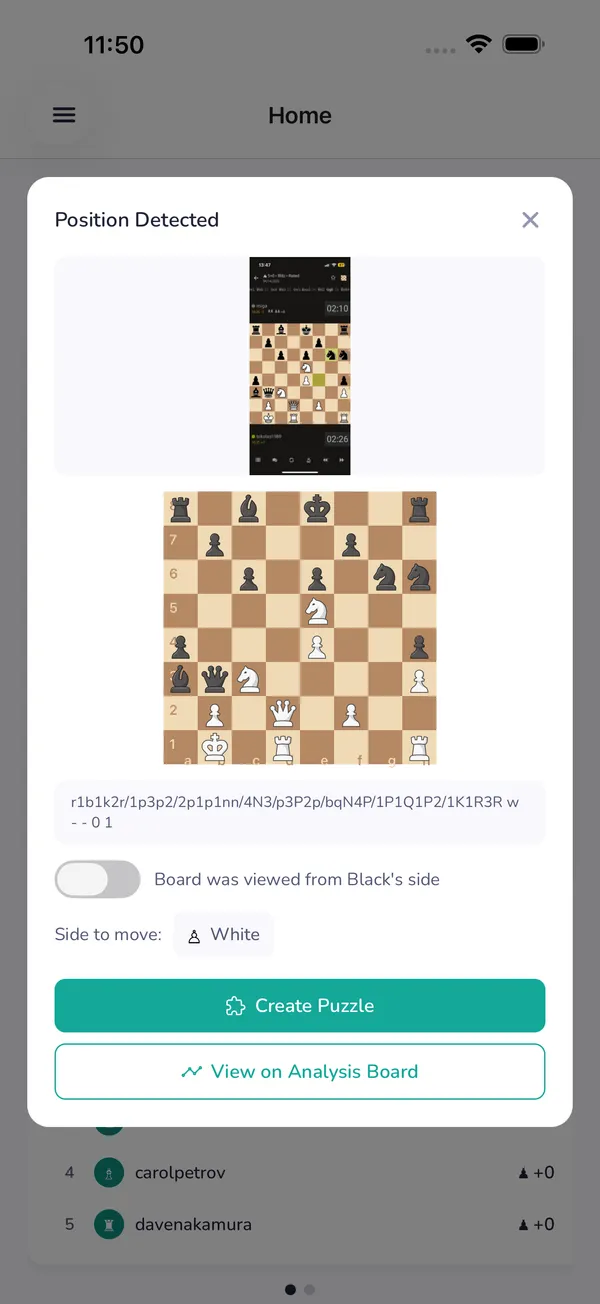
From screen to study in three steps
Capture it
Click the LearnChess extension on any page, or upload a screenshot.
We read the board
Vision AI reconstructs the exact position into a real, editable board — confirm or fix it in a tap.
Study it
Jump straight to Stockfish analysis and your AI coach — or save it as a puzzle to drill.
Position recognized
Any board on your screen becomes a board you can play
Streams, YouTube videos, Lichess and Chess.com, Reddit threads, a position in a tweet — if you can see it, LearnChess can read it. Stop rebuilding positions square by square just to study them.
Works with Lichess, Chess.com, YouTube, PDFs — anything on your screen.
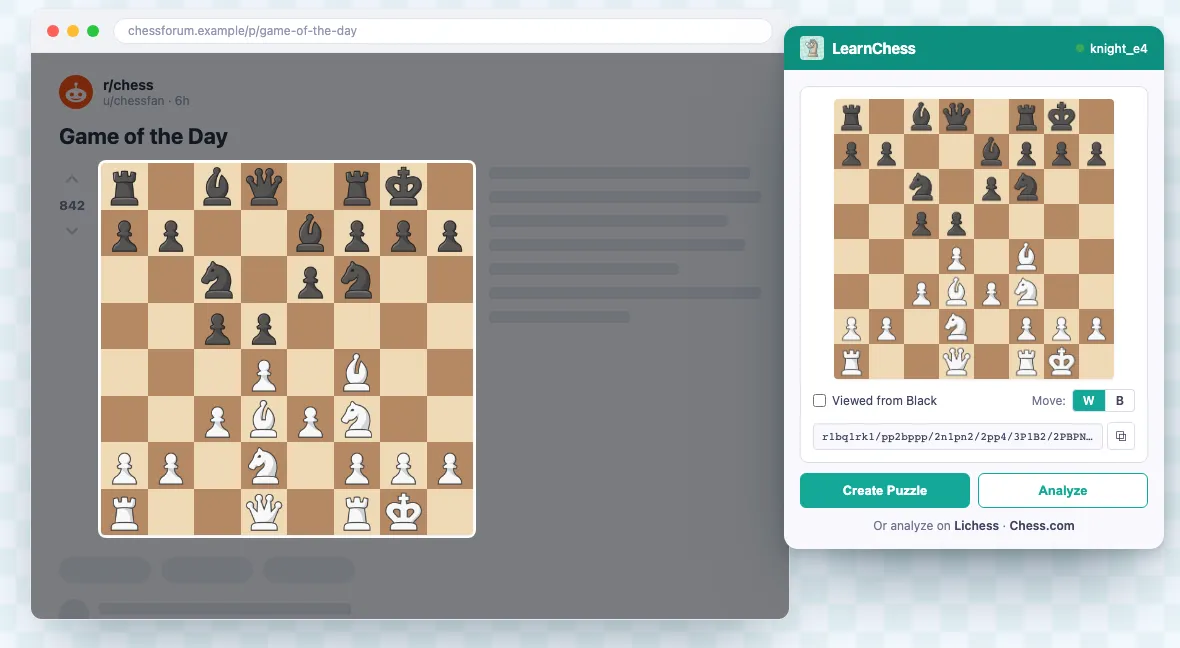
One click, right from your browser
The free LearnChess Chrome extension grabs the board from any tab and sends the position straight to analysis or a new puzzle. No screenshots to save, no leaving the page.
Everything you capture, ready to use
Works on any source
Websites, videos, Lichess & Chess.com, screenshots, photos — any board, any tab.
One-click capture
Grab a position from your browser without ever leaving the page.
Instant analysis
Every captured position opens in Stockfish analysis with your AI coach.
Turn it into a puzzle
Save any position as your own puzzle to drill now or share later.
Questions about screenshot import

Stop rebuilding positions. Start understanding them.
Capture a board from anywhere and study it in one click — free to start.
Get started free